
How AI Calorie Counting Works (and How Accurate It Is)
Updated June 20, 2026 3 min read
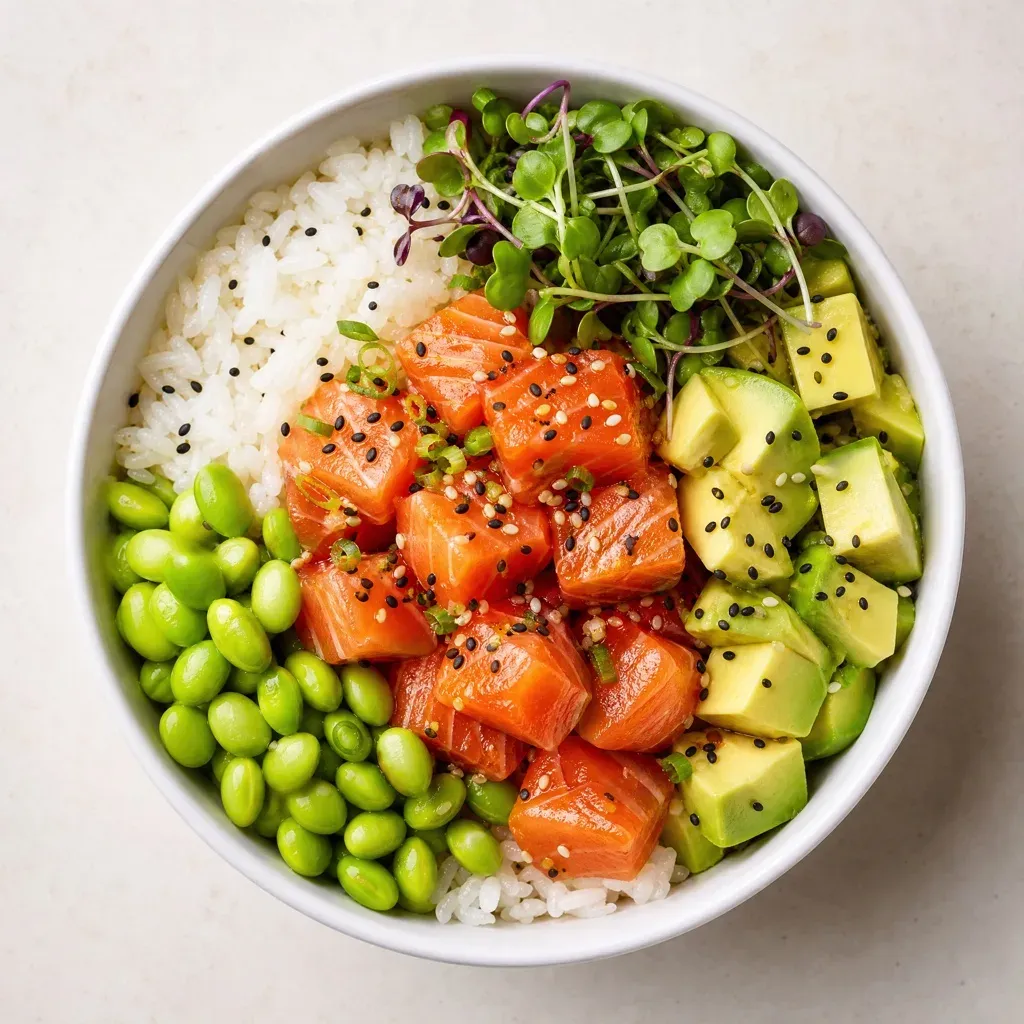
You point your phone at a plate of food, and a second later you have calories, protein, carbs and fat. It feels like magic — but it’s a well-understood pipeline of computer vision and nutrition data. Here’s exactly what happens, and how much you can trust the number.
How does AI calorie counting work?
An AI calorie counter turns a photo into a calorie estimate in three steps:
- Food recognition. Computer-vision models detect where food is in the image and classify what each item is — “grilled chicken,” “white rice,” “broccoli” — often identifying several foods on one plate at once.
- Portion estimation. The app estimates how much of each food is present, using visual cues like the area each item covers and reference objects such as the plate or utensils for scale.
- Nutrition lookup. Each identified food and its estimated portion are matched to a nutrition database, and the calories and macros are summed into the total you see.
All of this runs in seconds. Apps like Caloryx do it the moment you take the picture, then let you confirm or fine-tune the result.
Where do the numbers actually come from?
The calorie figure isn’t measured from the photo directly — it’s looked up. Once the AI decides a portion is “about 150 g of grilled chicken breast,” it pulls the standard nutritional values for that food and quantity from a database, the same way a manual app would after you typed it in. The AI’s job is to do the identifying and the portioning for you, so you skip the searching and weighing.
If you want the practical workflow that uses this, see how to log your calories the easy way.
How accurate is AI calorie counting?
For common, clearly-visible meals, AI estimates are typically within about 10–20% of the true value — which is well within the range that makes calorie tracking effective for weight loss or maintenance. Your results over weeks depend on your average intake, and a consistent estimate in that range will reliably move the needle.
Accuracy is highest when:
- The food is a recognizable, separable item (a chicken breast, an apple, a bowl of rice).
- The photo is clear, well-lit, and taken from slightly above.
- Portions aren’t hidden under sauce or stacked on top of each other.
Accuracy is lower when:
- The dish is mixed or blended (stews, casseroles, smoothies) and ingredients can’t be seen individually.
- There are hidden ingredients — cooking oil, butter, added sugar — that leave no visual trace.
- Lighting is poor or the plate is photographed at a flat angle.
Why hidden ingredients are the hard part
A camera can only measure what it can see. Two grilled chicken breasts can differ by 100+ calories depending on how much oil they were cooked in — but that oil is absorbed and invisible. The AI handles this by assuming a typical preparation, which is right on average but can miss on any single dish. This is the main reason AI estimates — like every estimation method, including manual logging — aren’t perfect. The fix is simple: glance at the estimate and adjust it when you know a dish was unusually oily, creamy, or sugary.
How to get the most accurate estimate
You can meaningfully improve accuracy with how you take the photo:
- Shoot from slightly above so every item is visible and not overlapping.
- Get the whole plate in frame, including sides and drinks.
- Use natural light where you can, and skip heavy filters.
- Confirm the detections and adjust any portion that looks off.
- For complex dishes, log the main components separately rather than relying on one photo of the finished plate.
Is AI calorie counting good enough to rely on?
For everyday weight management, yes. The goal of tracking was never lab-grade precision — it’s a consistent, sustainable signal you can act on. AI calorie counting delivers that signal in seconds instead of minutes, which is exactly why more people stick with it. Pair it with a quick sanity-check on tricky dishes and you get accuracy that’s more than good enough, with a fraction of the effort.
Want to see it in action? Caloryx counts calories from a photo, free on iPhone and Android.
